How to Use Styles
A simple guide to transform your NotebookLM slides.
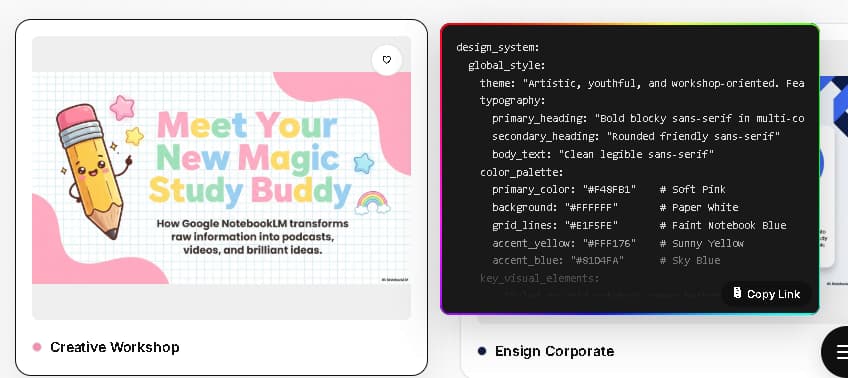
1. Choose a Style
Explore our collection and copy the YAML code of your favorite style.
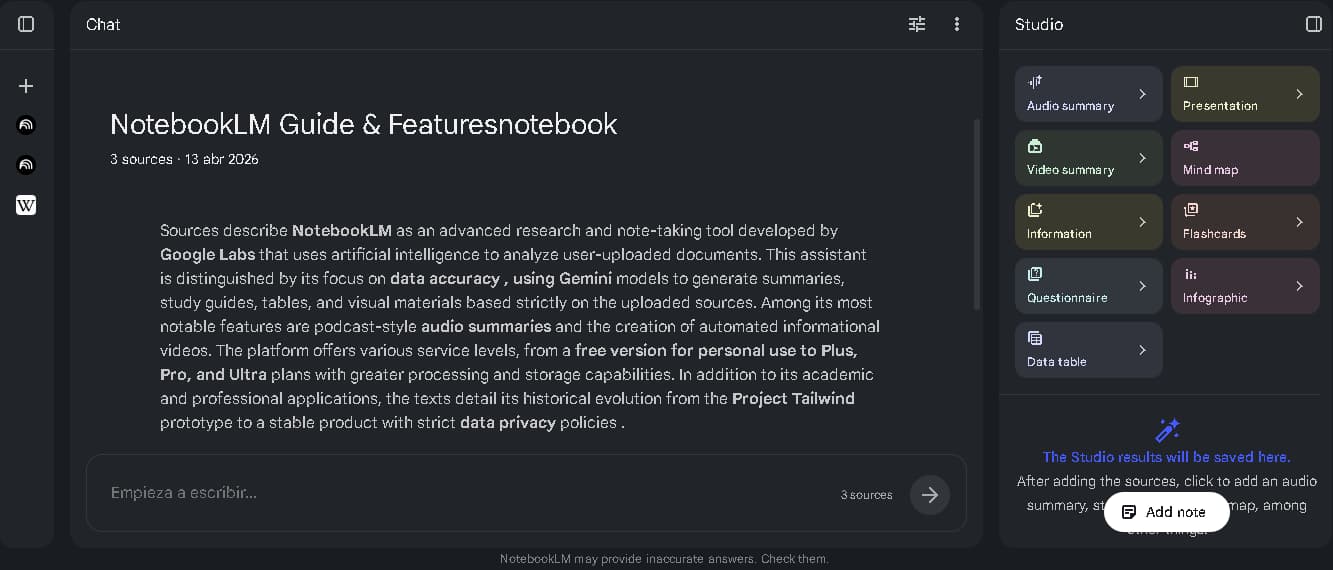
2. Open Studio
Go to your notebook and open the 'Studio' panel on the right.
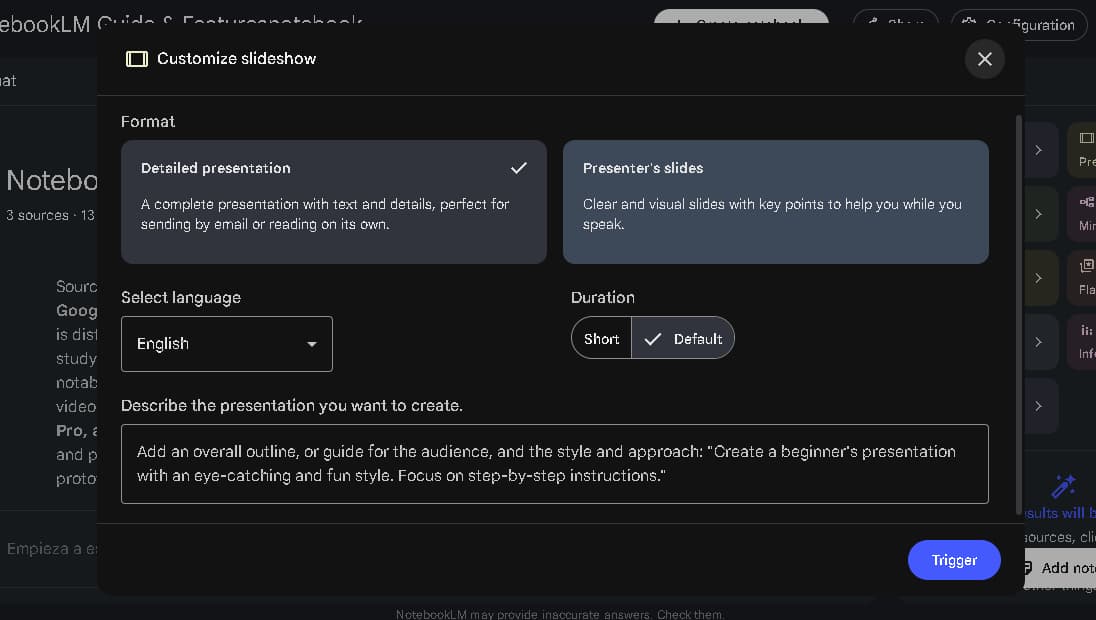
3. Configure Deck
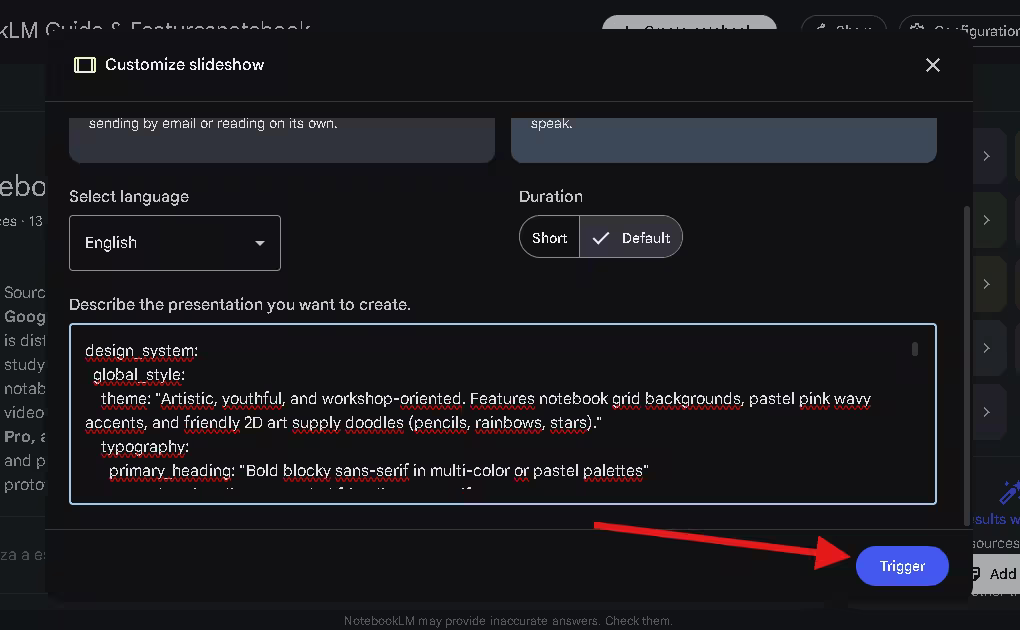
Find the 'Slide Deck' section and click the pencil icon to customize.
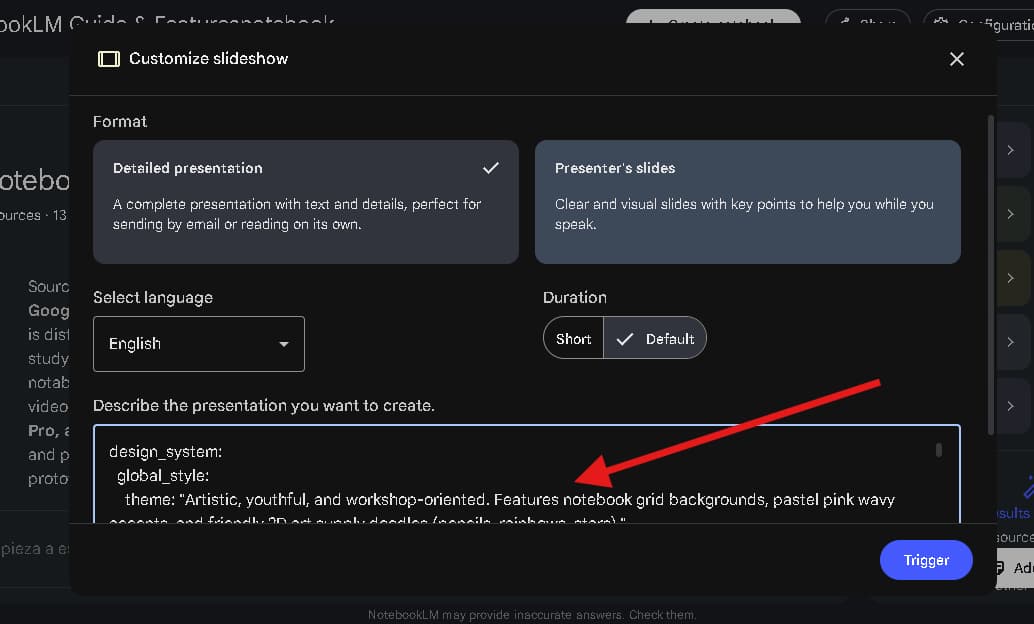
4. Paste Prompt
Paste the YAML code you copied into the custom instructions box.
5. Generate
Click 'Generate' and watch NotebookLM transform your sources into a stunning presentation.




Connect & Share